ResMed ClimateLineAir
User Guide
2. Setup
Setup
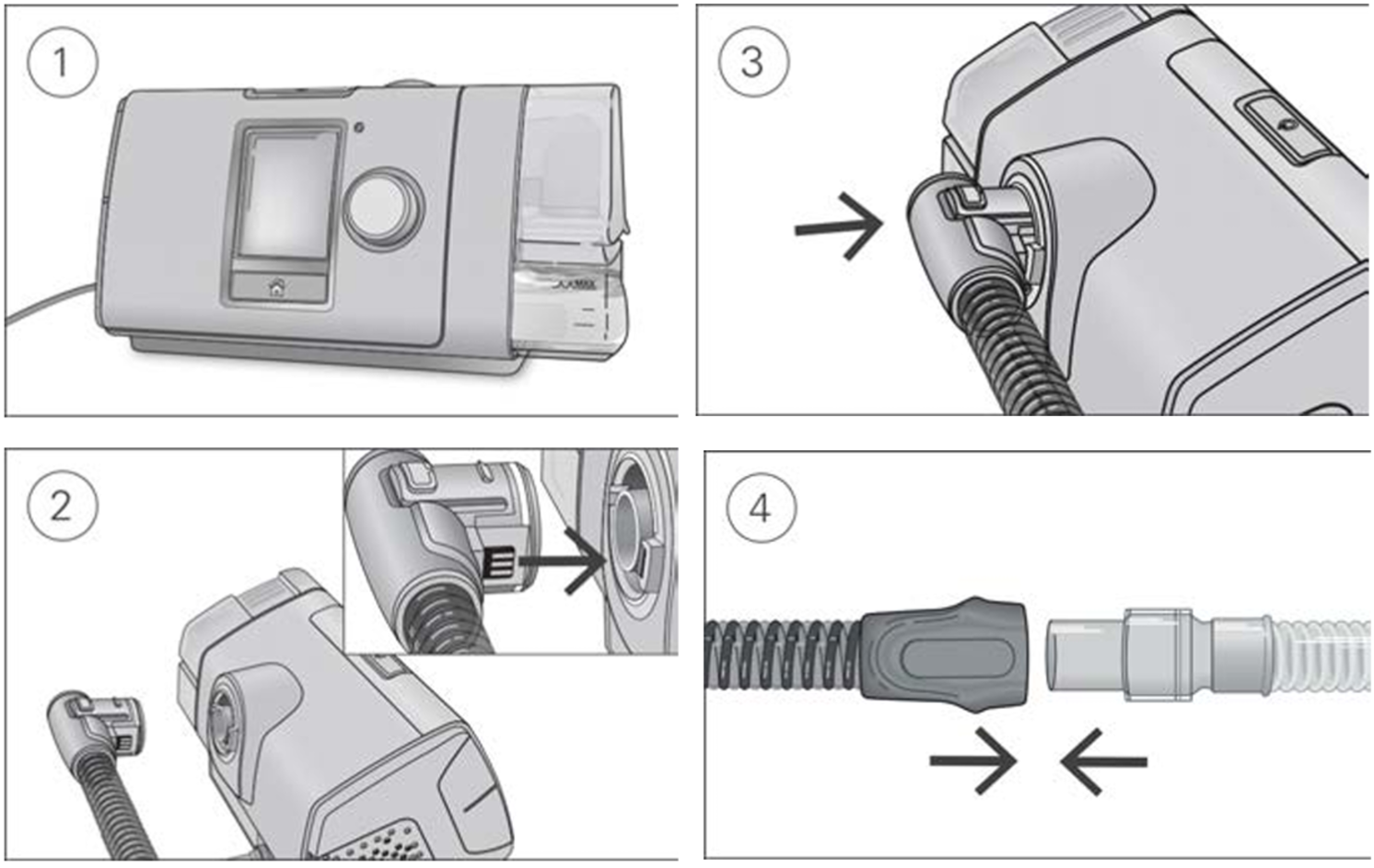
- Make sure the device is connected and turned on.
- Hold the cuff of the air tubing and line up the air tubing connector with the connector port.
- Push the cuff until the connector clicks into place. ClimateLineAir connected will briefly display on the device screen.
- Connect the assembled mask to the free end of the air tubing.
Setup with supplemental oxygen
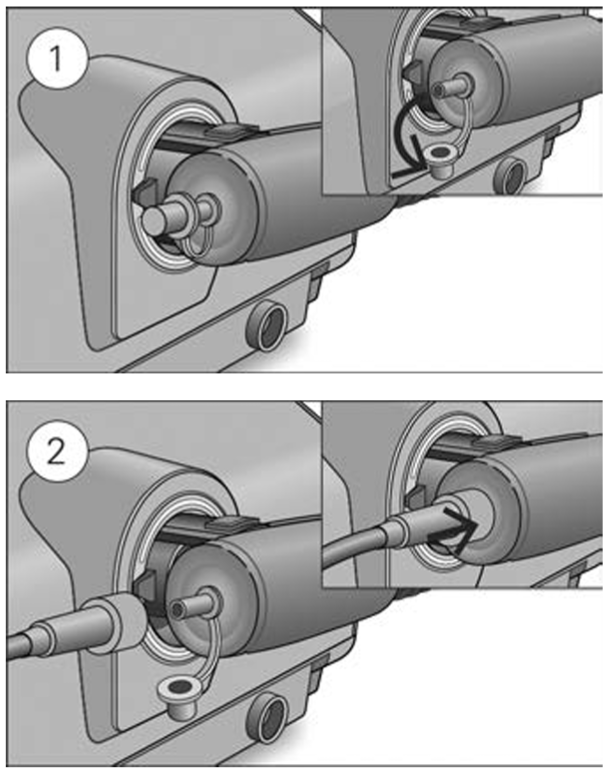
To set up the ClimateLineAir Oxy with supplemental oxygen, perform the steps outlined in the setup section and the following additional steps.
- Remove the cap from the oxygen connector.
- Connect the oxygen supply tubing to the oxygen connector. Make sure it is firmly attached.
Notes
- Before adding oxygen, familiarize yourself with the specific warnings relating to the use of supplemental oxygen. These can be found at the end of your device User Guide.
- If you use the ClimateLineAir Oxy without supplemental oxygen, make sure the cap of the oxygen connector is firmly attached.